
A quick guide to finding all your quests and their targets. Because it turns out “just find it” leaves out a few details.
How to see all your quests
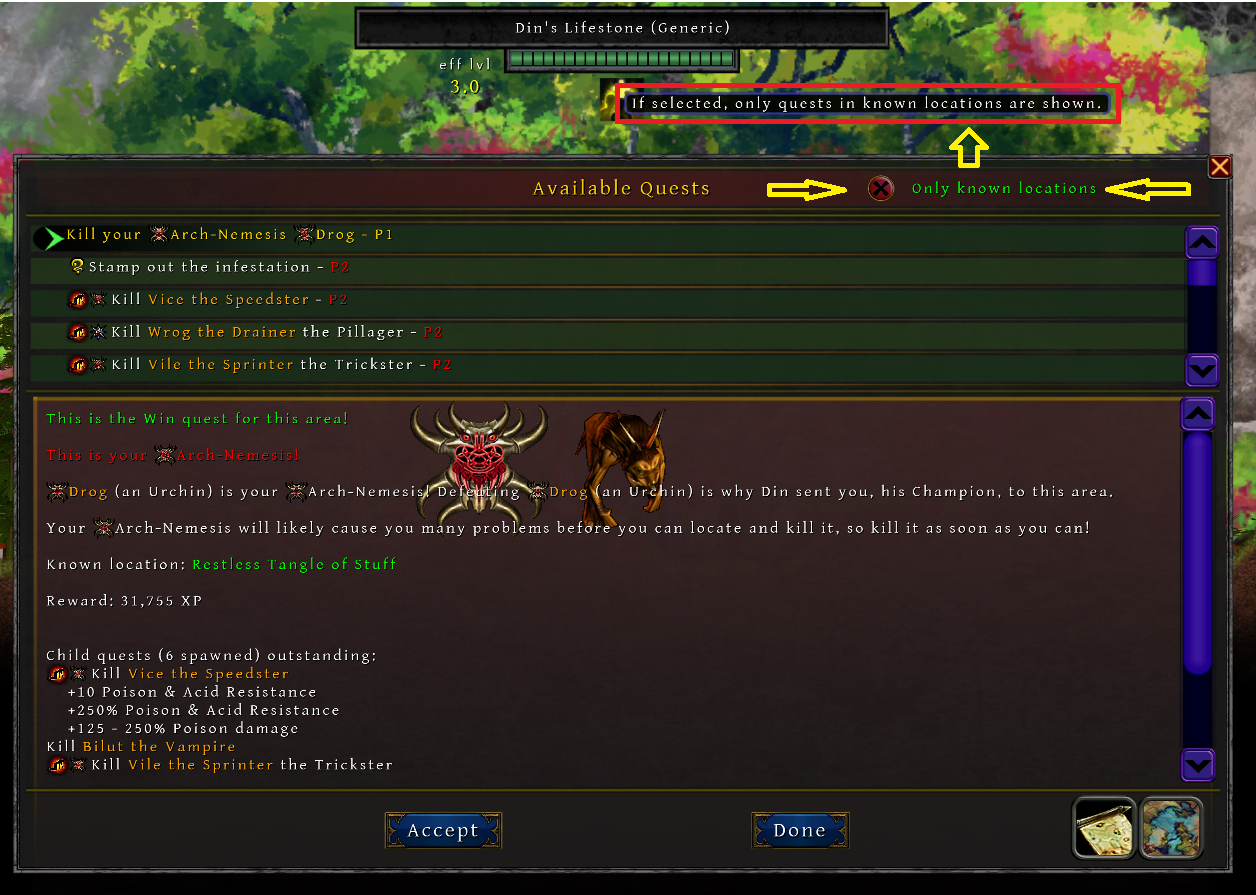
To reveal the full list, untick “Only known locations.” Because not having been to where a quest is shouldn’t mean you also don’t know it exists.
Finding your quest target
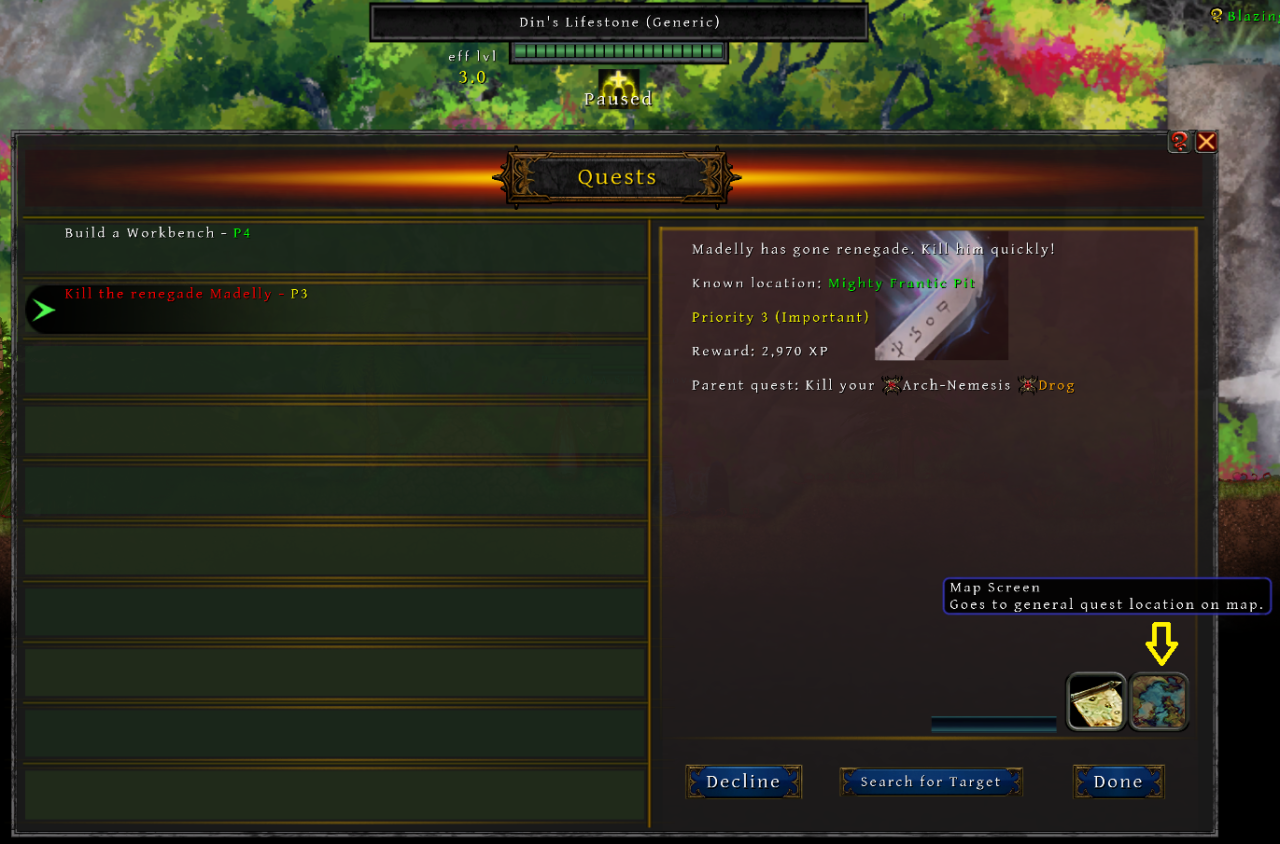
First, use the map screen button in the quest, to see the area where your quest target should be. Keep in mind that some targets move around, because apparently standing still and waiting to be found was too easy. In worst case scenario they end up in some ravine, far away from where they were.
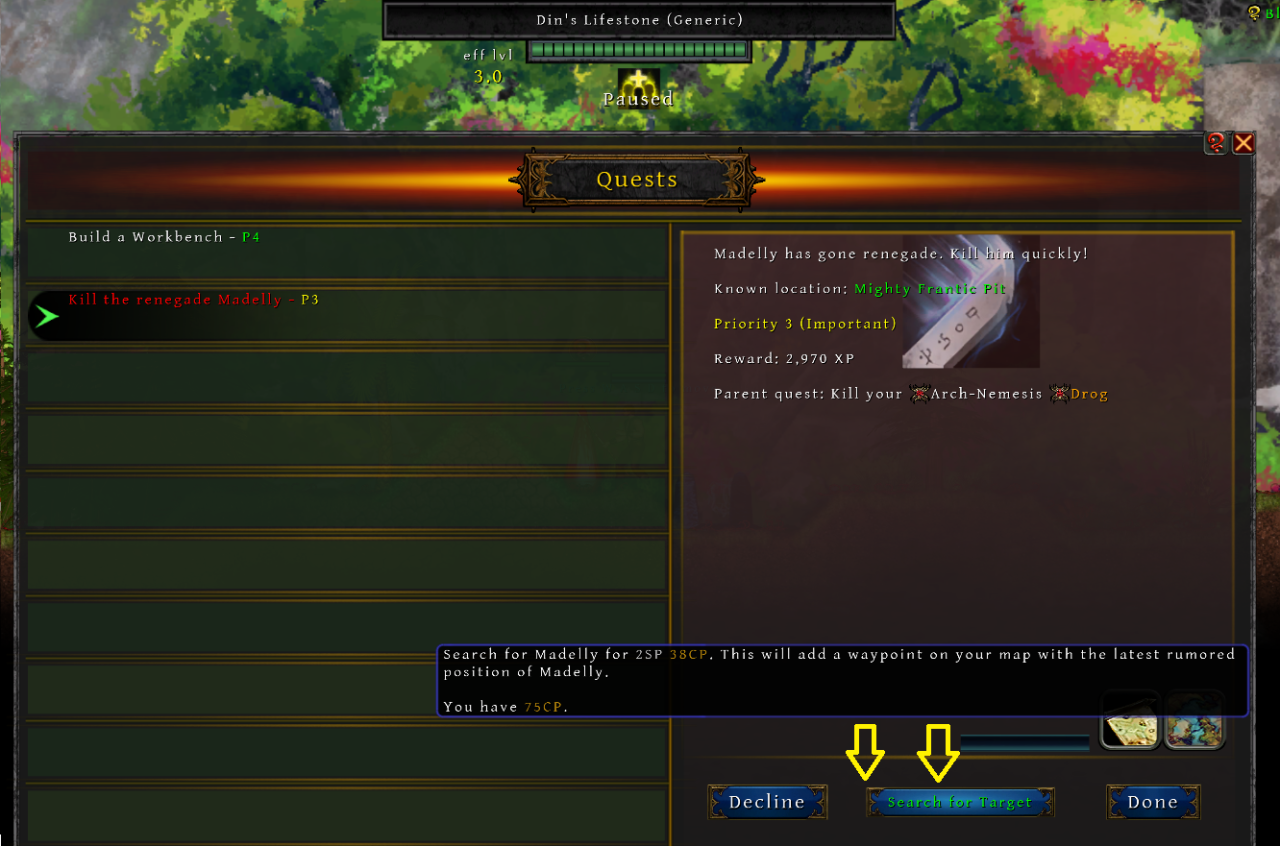
If the target isn’t there, you can get extra help finding them by searching for your target in the quest menu. This will mark its current approximate location on your map. It will cost some coin though, so make sure your wallet can survive the investigation.
Other clans and their quests
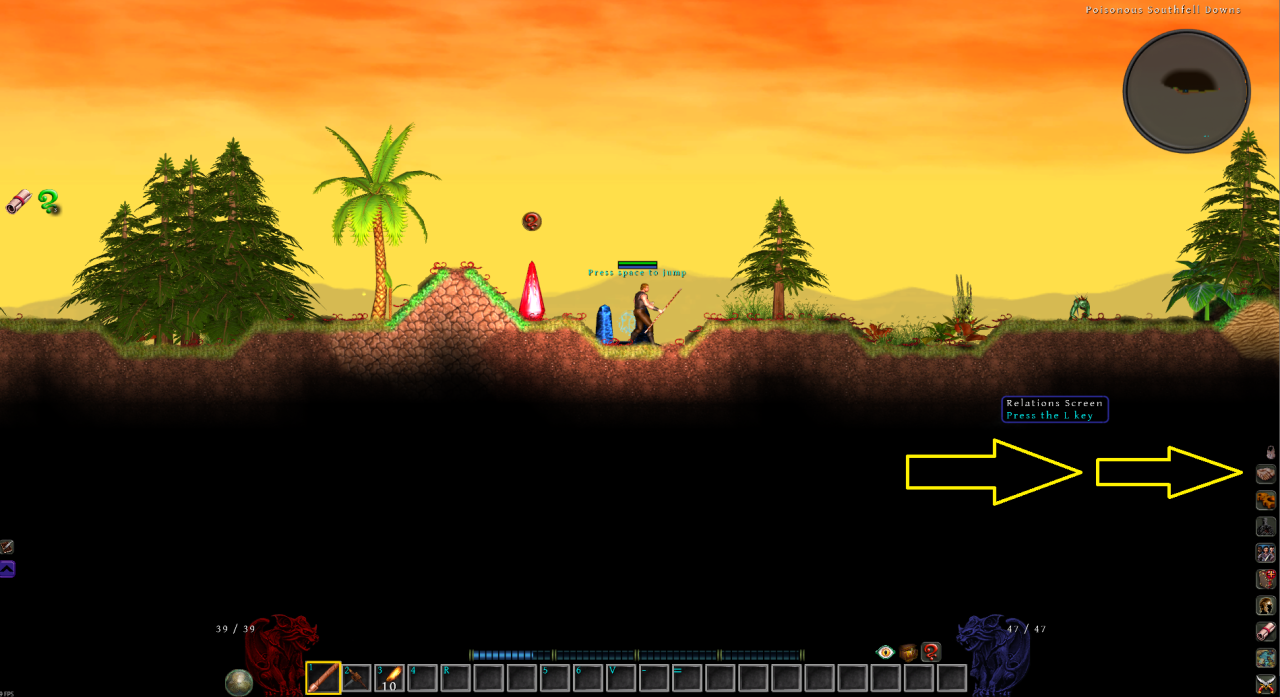
Once discovered, other clans can be interacted with through the Relations menu. You’ll want to get familiar with this button, unless you enjoy unexpected visits from increasingly unhappy neighbours. Some clans require regular appeasing. Others may eventually require more permanent solutions.
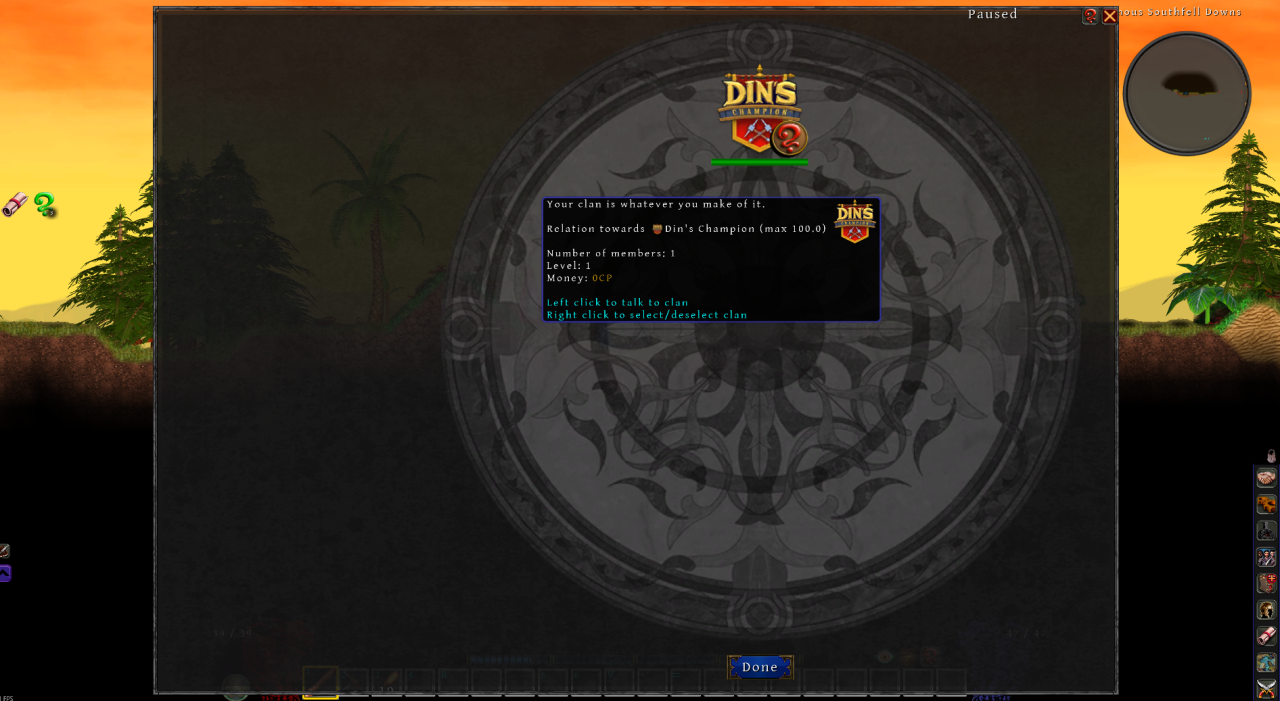
Here you can trade, make agreements and view clan’s available quests. Any quests you complete for them must also be turned in here, not at your Lifestone. Apparently, even adventurers need to remember which office handles which paperwork.