
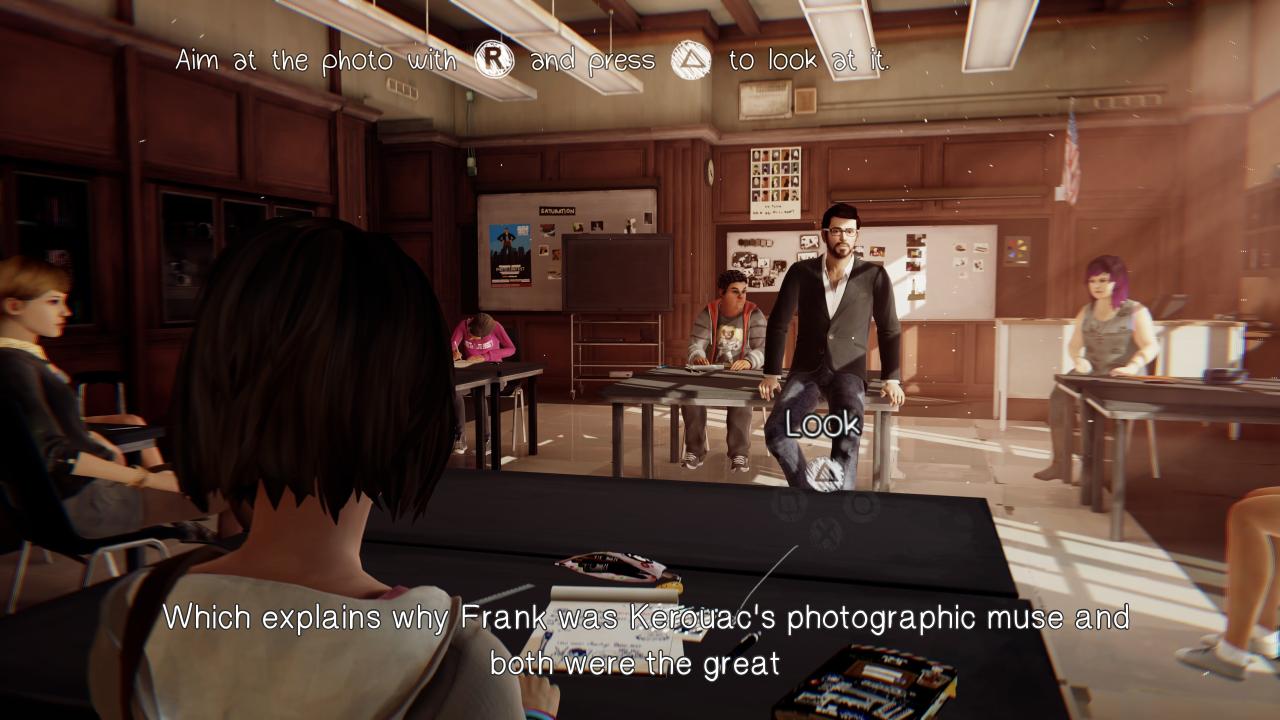
This guide explains how to force PlayStation button prompts to appear in Life is Strange Remastered.
Requirements
• Life is Strange Remastered
• PlayStation controller (DualShock 4 or DualSense)
Step 1: Disable Steam Input Before Launching the Game
1. Open your Steam Library.
2. Left-click the Gear Icon or Right-click Life is Strange Remastered and select Properties.
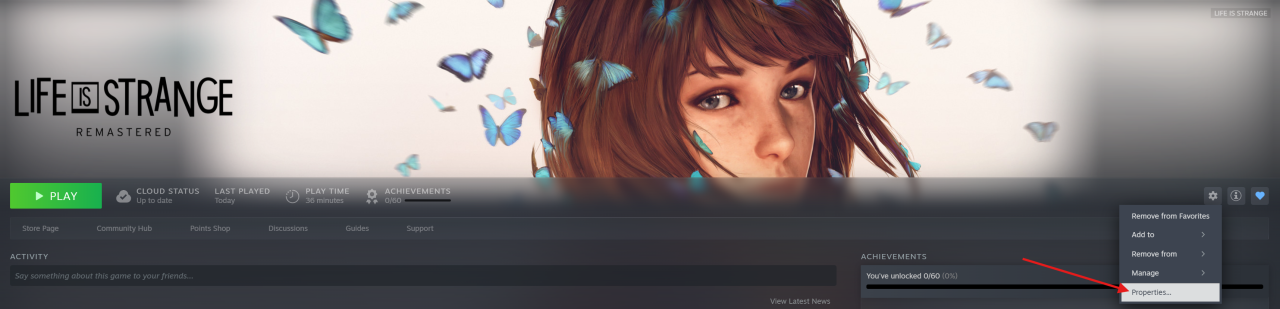
3. Open the Controller tab.
4. Set Override for Life is Strange Remastered to Disable Steam Input.
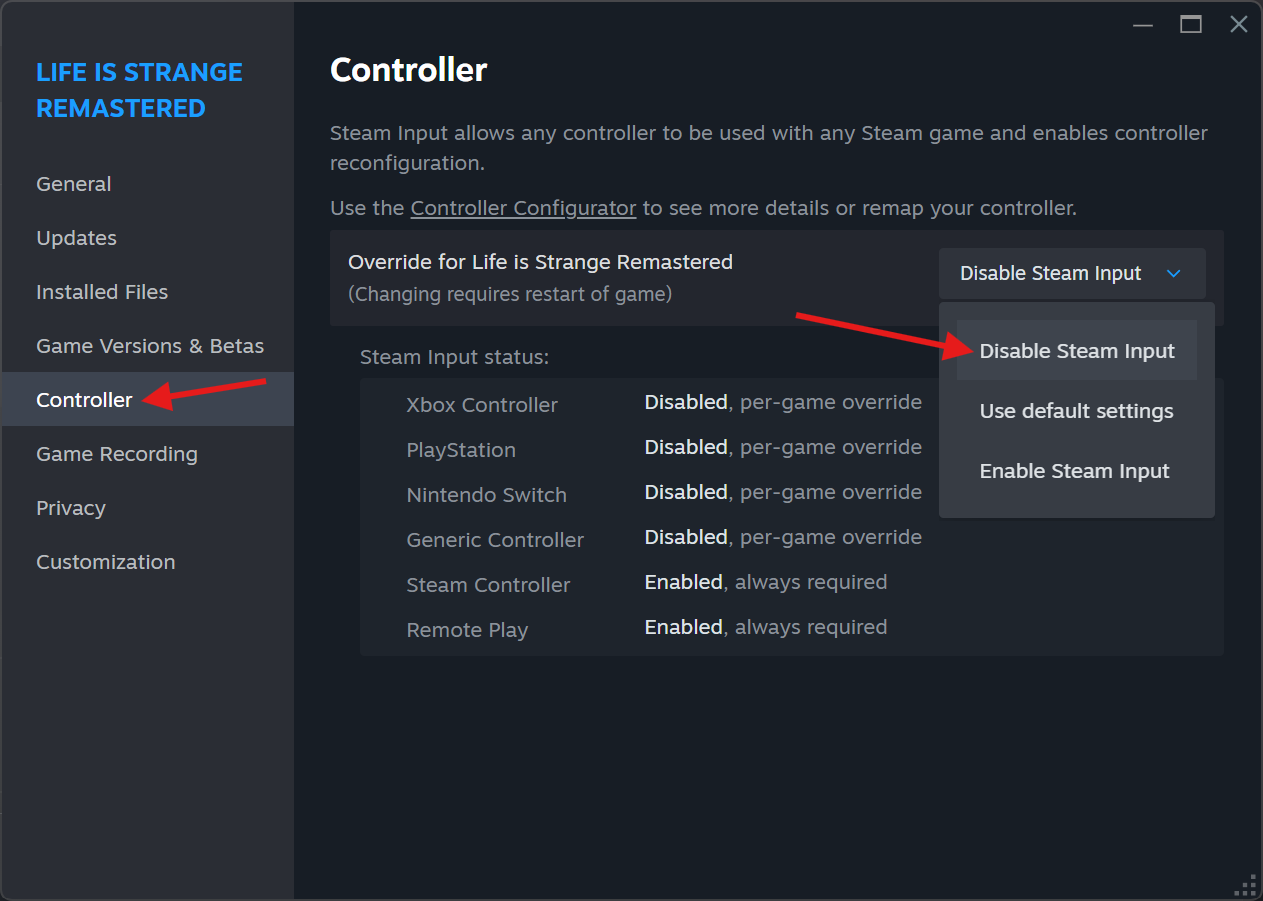
5. Launch the game.
Step 2: Re-Enable Steam Input In-Game
1. Once the game has loaded, open the Steam Overlay:
• Press Shift + Tab on keyboard, or
• Press the PS/Home button on your PlayStation controller.
2. Open the Controller Settings menu.

3. Enable Steam Input.
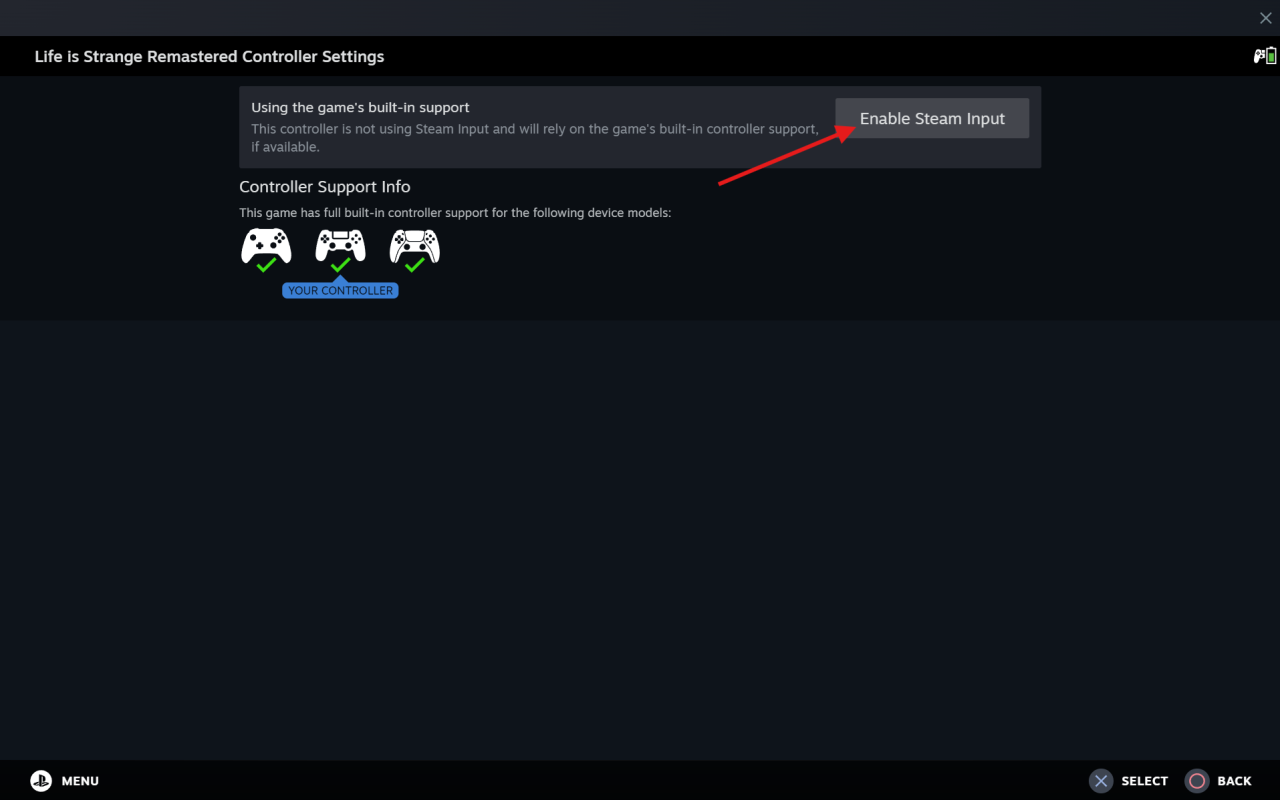
4. Close the Steam Overlay and return to the game.
Done!
The game should now display PlayStation button prompts instead of Xbox button prompts.
Important!
You must repeat these steps every time you restart the game, as the setting does not persist between sessions.