
Use this easy guide to fix low quality textures in Ninja Gaiden 2 Black. Even a Ninja Dog could do it.
Introduction
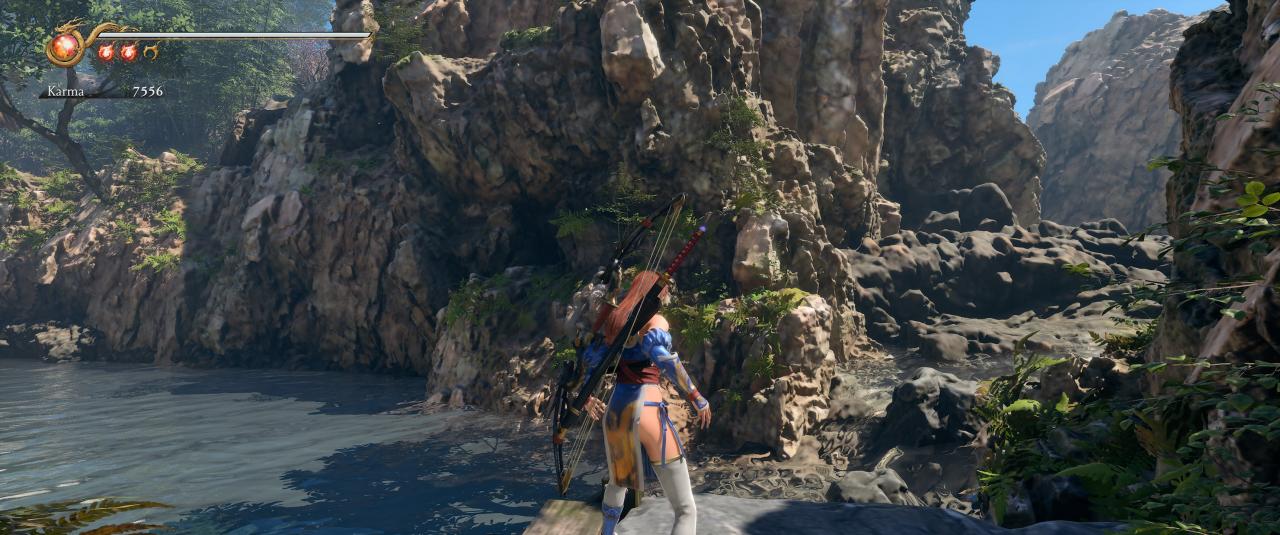
If you’ve played NG2 Black on PC, you’ve probably noticed that textures will sometimes load in, but then degrade to ultra low quality. Chapter 2’s rocks by the river are notorious for this, so I used them to showcase the difference.
This is approximately a 90% solution. Some textures do still pop in as you run by, BUT they do not degrade. These surfaces simply do not load the best quality texture immediately until you’re standing nearly on top of them. I haven’t found a way to fix that yet. Either way, still better than vanilla.
Before and After
Before
After
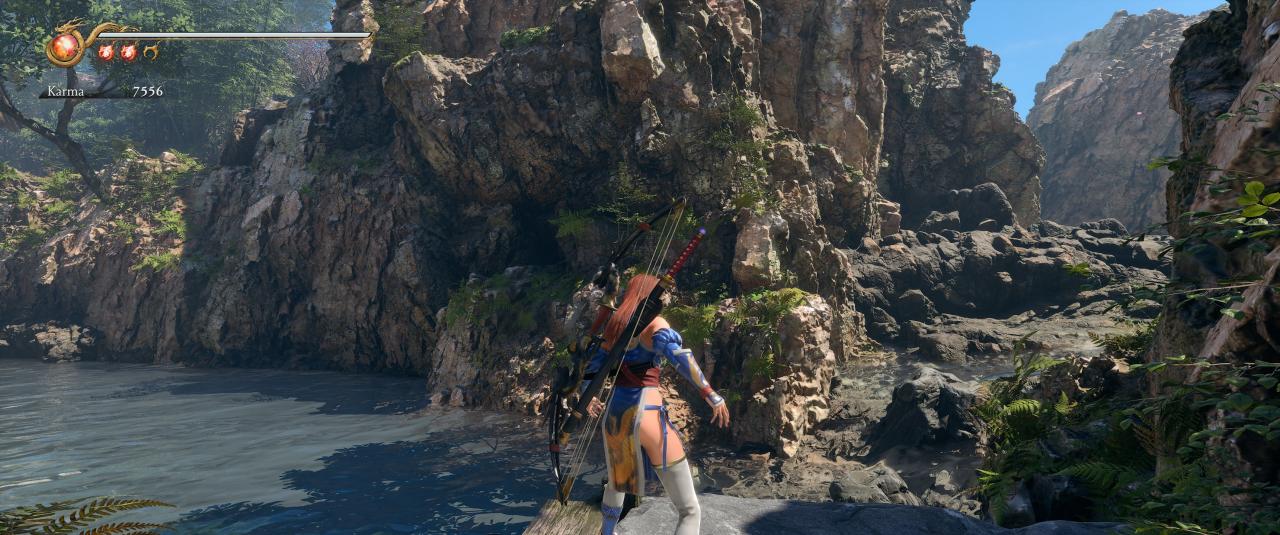
Before
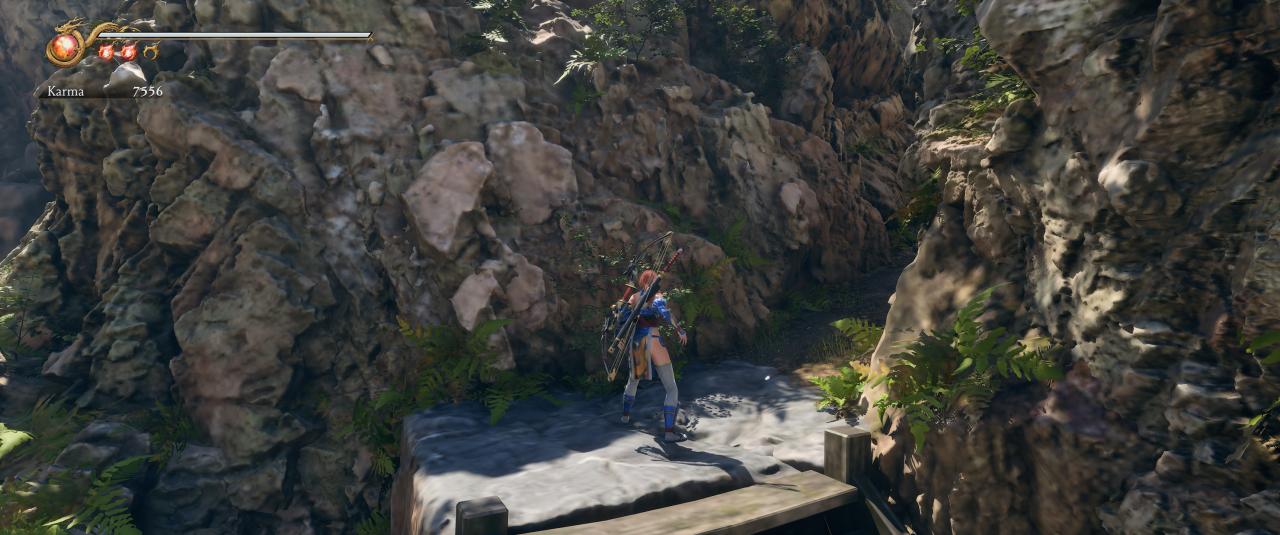
After
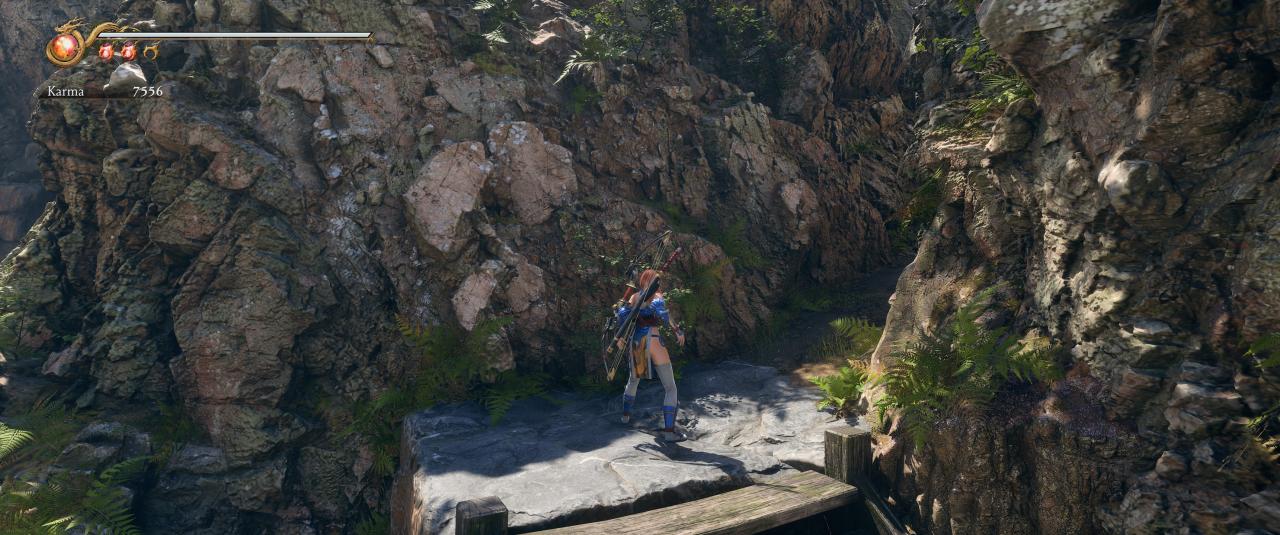
The Fix
Create or modify a Engine.ini file in %LocalAppData%\NINJAGAIDEN2BLACK\Saved\Config\Windows
Add these lines to the .ini
[SystemSettings]
r.MipMapLODBias=-4
Save. Make the file read only.
That’s it. Run the game.