
Guide to help players recover their save files from a soft lock involving being stuck at 0 HP, unable to do anything.
Guide
You will need the following in order to use this guide:
[Software] Cheat Engine[www.cheatengine.org] – Used to read the memory of the currently runnning game (Zenonia), which will allow us to modify our character’s HP.
[File] https://fearlessrevolution.com/viewtopic.php?t=40613/ – This “Zenonia1.CT” file is called a “cheat table” file, which will be loaded by Cheat Engine in order to pinpoint and modify the current value of our character’s HP in the memory of the game.
Download and install Cheat Engine, and download the Zenonia1.CT file.
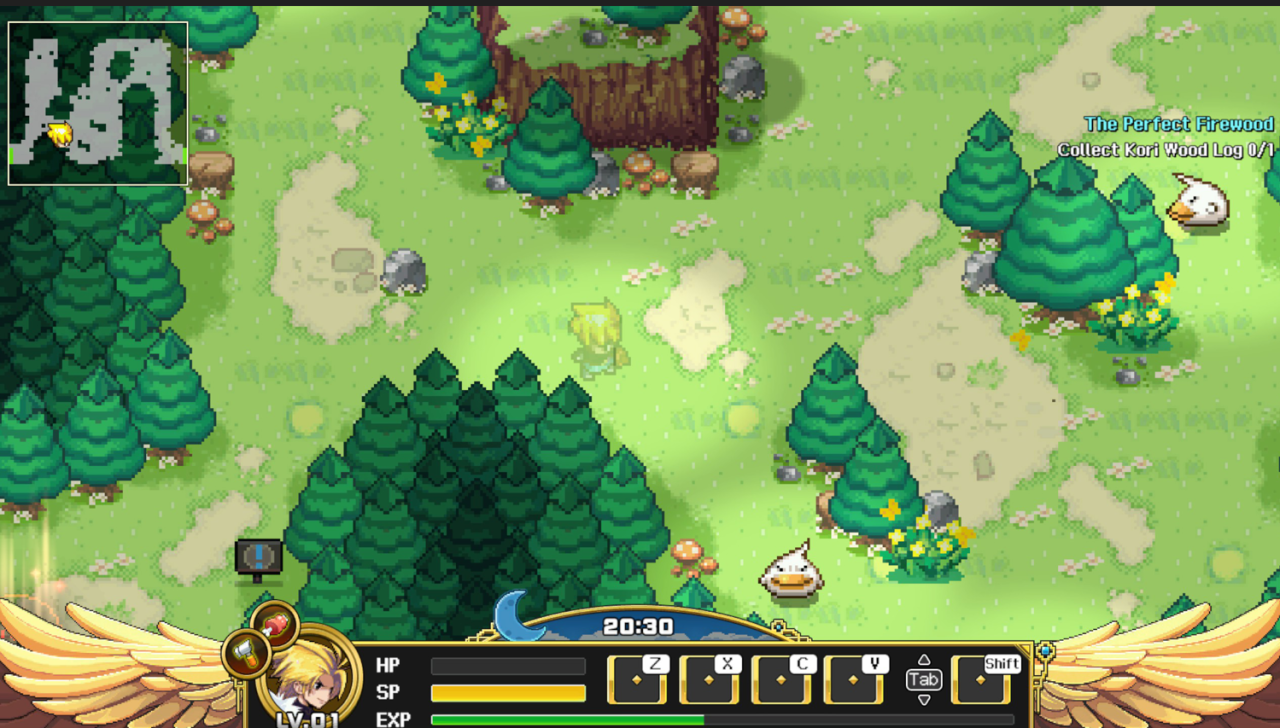
Open Zenonia 1 and load up the save that is suffering from the 0HP soft lock bug.
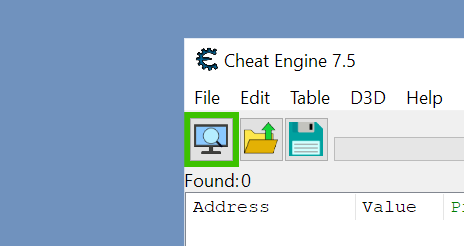
Open up Cheat Engine, and click the flashing Screen with magnifying glass icon at the top left.
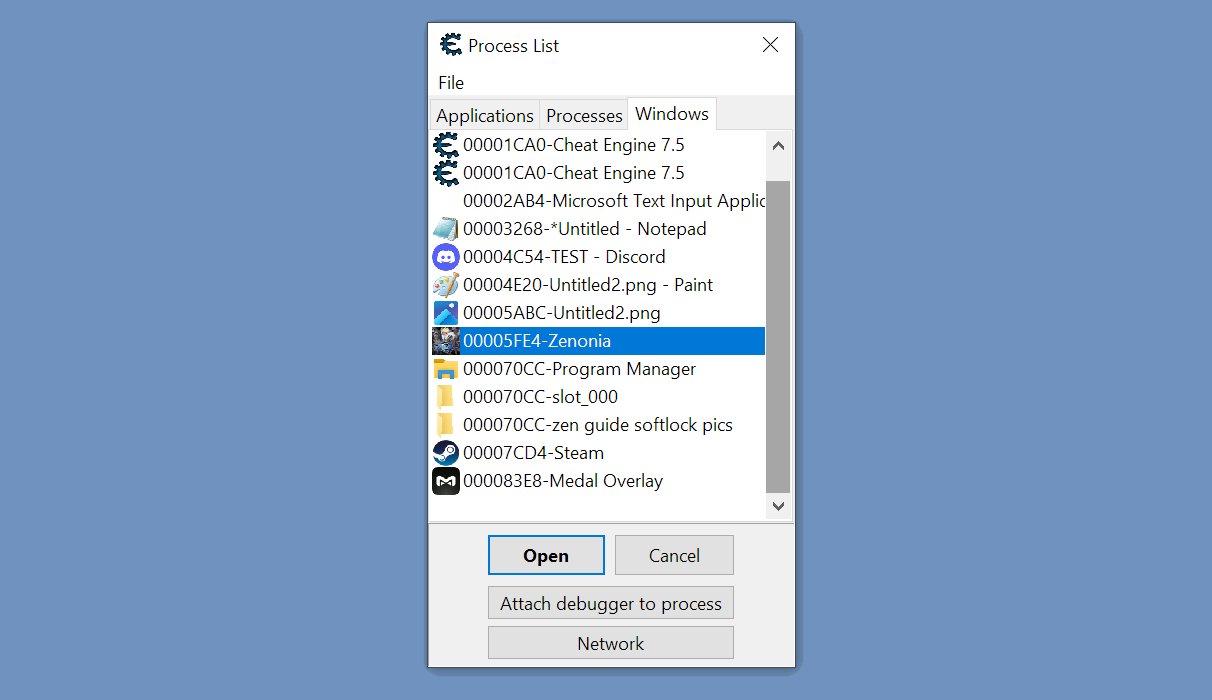
Select the “Zenonia” application in the list, and then click “Open”.
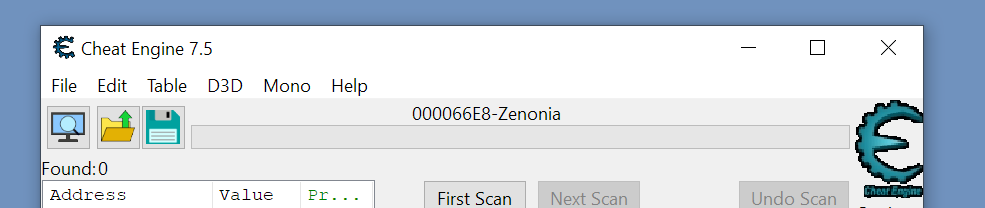
You should now see “Zenonia” show at the top of the application.
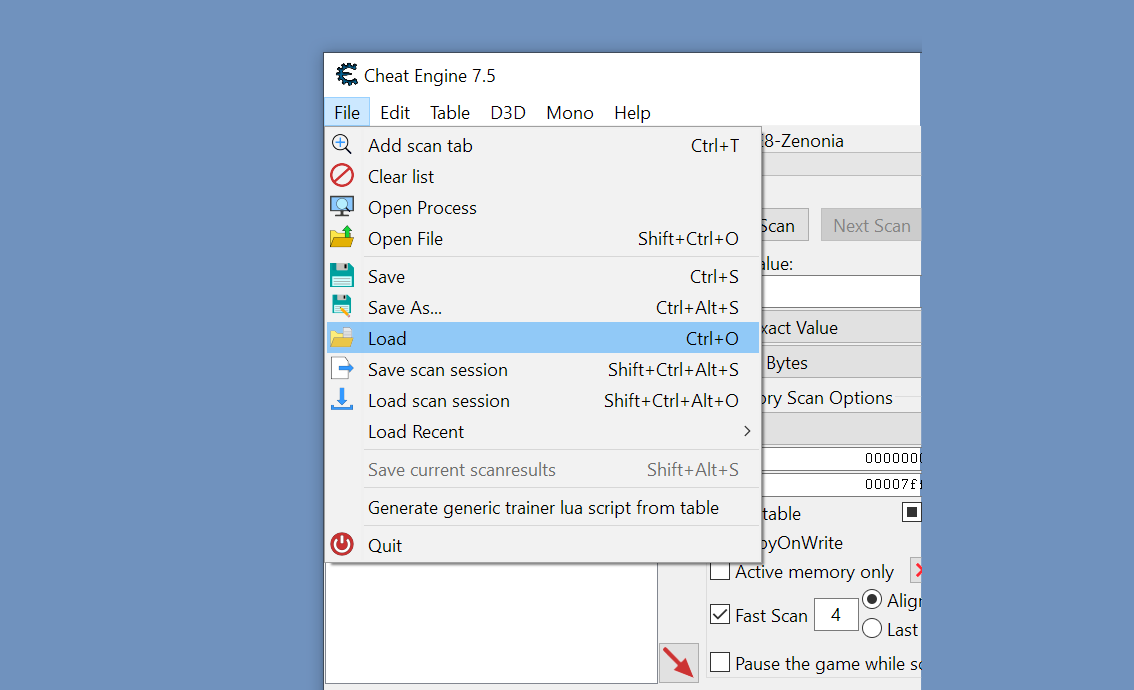
Now go to File > Load, and select the Zenonia.CT file you downloaded.
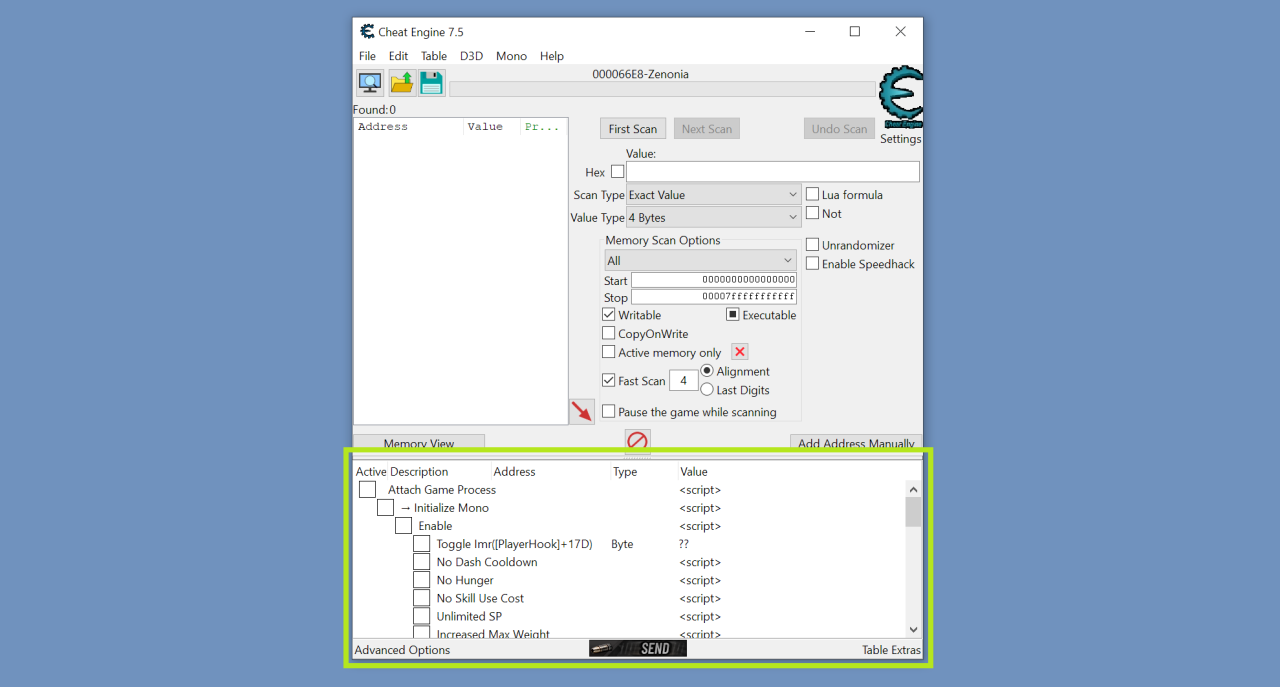
Looking at the bottom window pane on cheat engine, you’ll see a ton of different “cheats”, but we’re only going to be using one of them to fix this issue: the Edit HP cheat.
Click the checkbox on the first three entries of the cheat list on the bottom pane of Cheat Engine. Activate them in this order:
- Attach game process
- Initialise Mono
- Enable
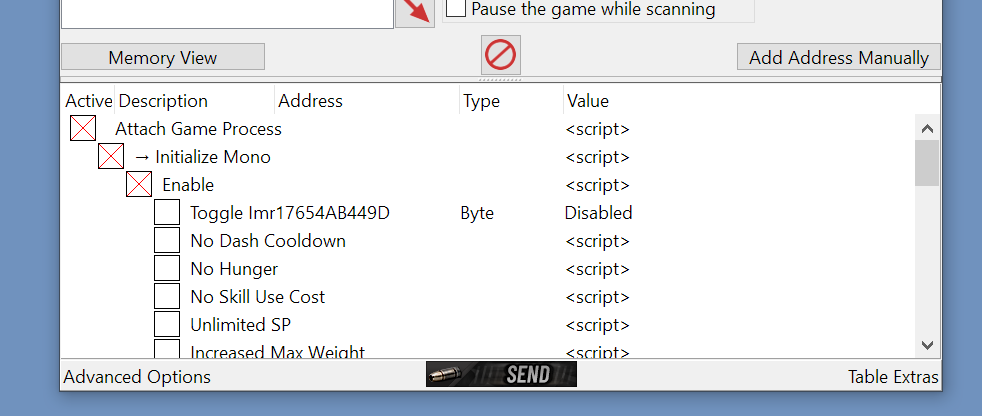
Once all three boxes have a cross [x] in them, you can now scroll down that cheat list to find “Edit HP”.
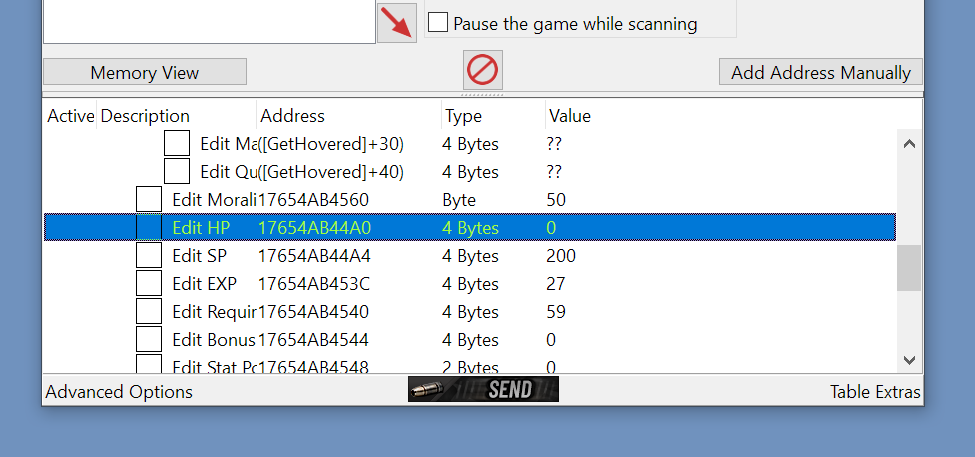
You should see a column called “Value”, and the value in this “Value” column for “Edit HP” should be 0. That’s the value of our character’s current HP.
Double click the 0 in the Value column for the “Edit HP” row, and enter the value 300 (that’s the starting max HP for a level 1 paladin character, just to be safe. If you know your character’s HP, you can put a higher value).
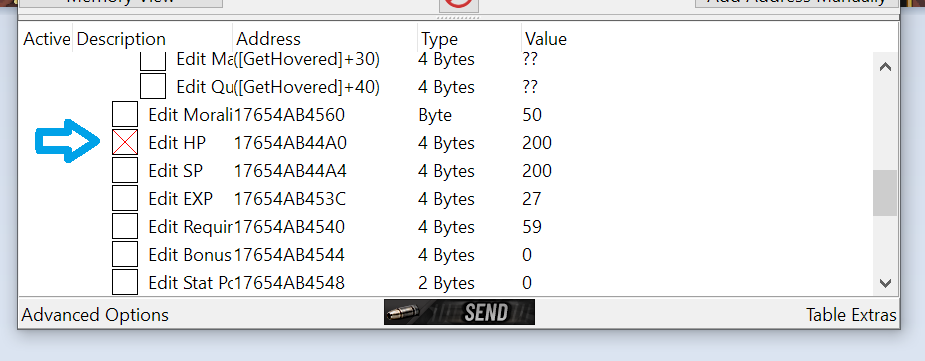
Now, check the box next to this cheat to activate it.
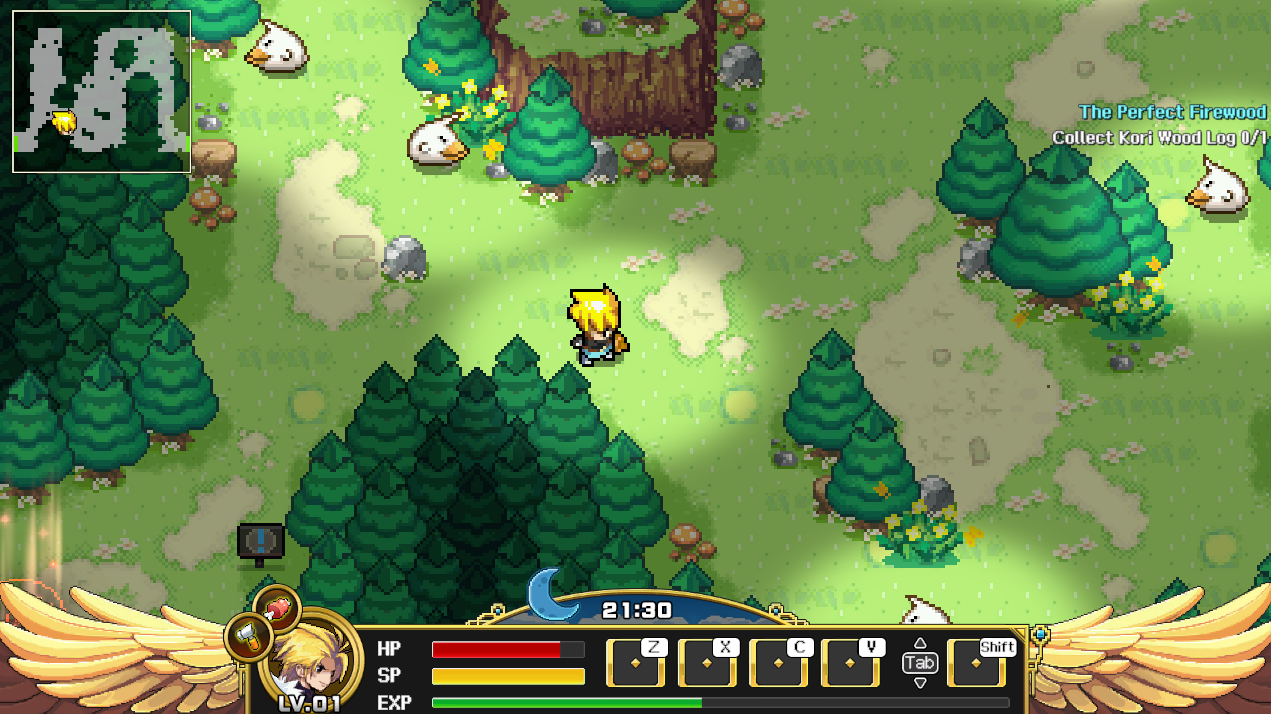
Your character should now have HP again, and can be controlled as normal! Just watch out, as you might get attacked by nearby enemies as soon as your HP is back, and may get knocked out again, but at least this time you won’t be soft locked!
Make sure to save your game after, and you can now close Cheat Engine and continue playing.
Hope this helps! I anticipate this guide will become obsolete once a patch is in place for this issue, but for those eager to play and not wanting to wait, this is for you.