
How to fix game crashes on blue gate map:
How to fix game crash on blue gate
(FOR AMD USERS) if you get game crashes on blue gate or any map in particular on amd gpu in particullary rx 9060 download and install older drivers version from their site i found out this version works well
–> 25.9.1 note i reccomend to manually unistall your graphics card driver through programs and features then restarting your pc and finally install the older ones. (if the amd setup blocks the installation progress giving you an error that refers to windows update restart the pc and then once you are back on the desktop proceed to install the old driver through its setup you just downloaded from their website. that’s the link to their suppor page where you can download the amd drivers: https://www.amd.com/en/support/downloads/drivers.html go to the bottom of the page choose graphics,your gpu family,your gpu series, and finally your gpu model.
–> 25.9.1 note i reccomend to manually unistall your graphics card driver through programs and features then restarting your pc and finally install the older ones. (if the amd setup blocks the installation progress giving you an error that refers to windows update restart the pc and then once you are back on the desktop proceed to install the old driver through its setup you just downloaded from their website. that’s the link to their suppor page where you can download the amd drivers: https://www.amd.com/en/support/downloads/drivers.html go to the bottom of the page choose graphics,your gpu family,your gpu series, and finally your gpu model.
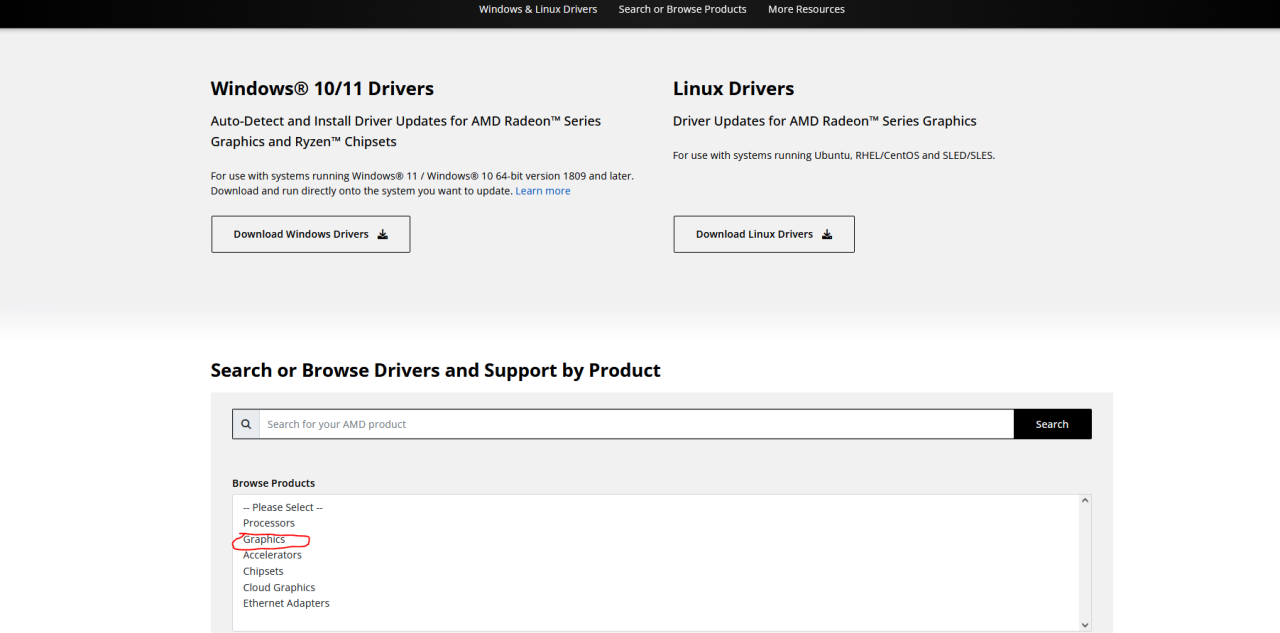
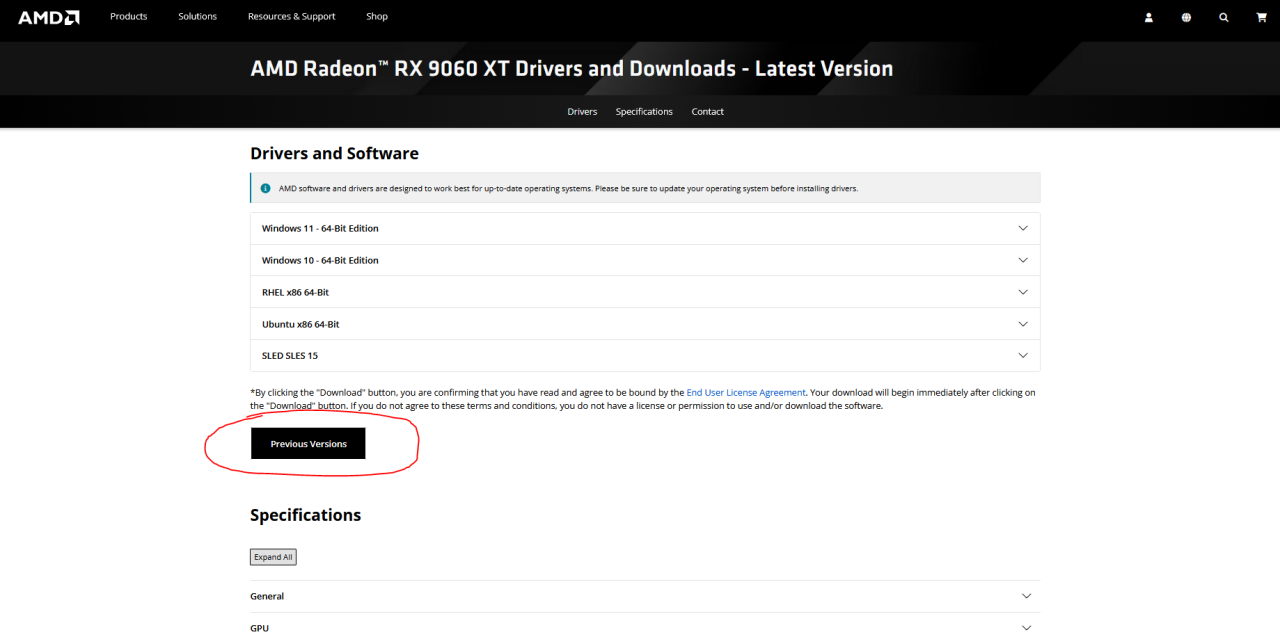
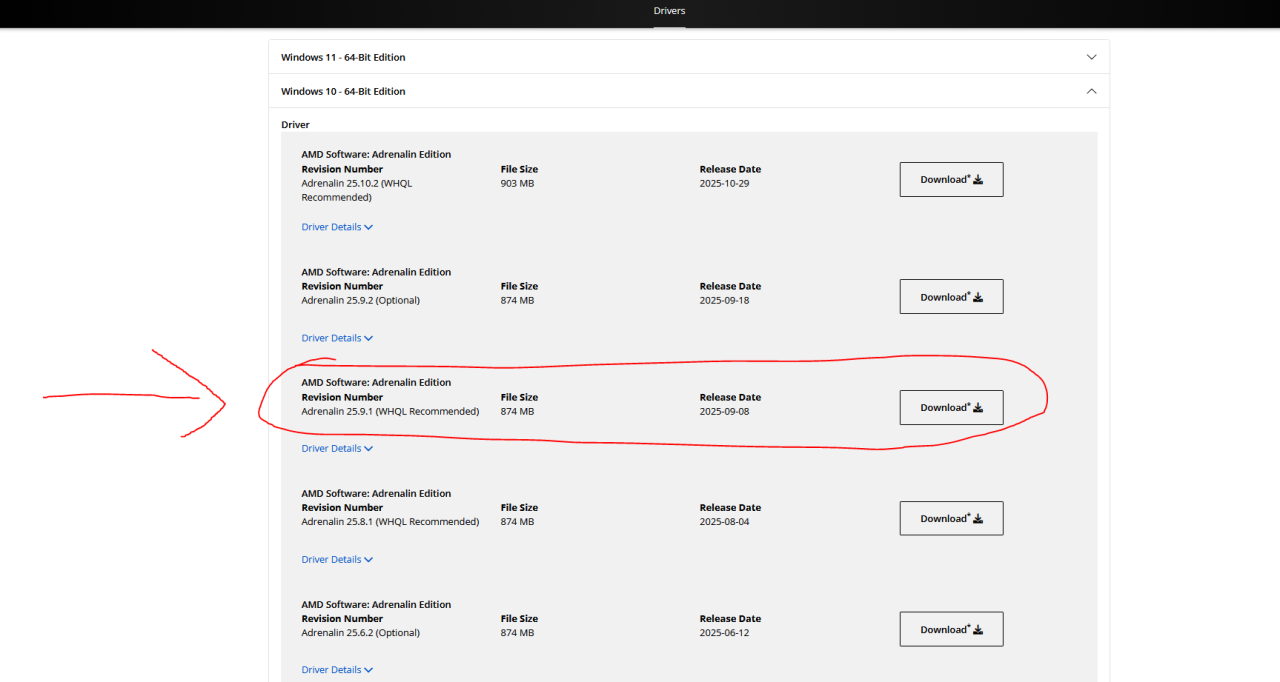
the game should now work fine. stay blessed. I’m out.