
Hello everyone!! Here’s a not so simple guide on how to hack your save file and edit the values!
You will need HxD to modify the save file. That’s pretty much it.
#1 Find your save file.
Save files are stored at C:\Users\YourNameHere\AppData\LocalLow\WASEKU\Data Center\saves\
Once you have found your save folder, find the save file you want to edit.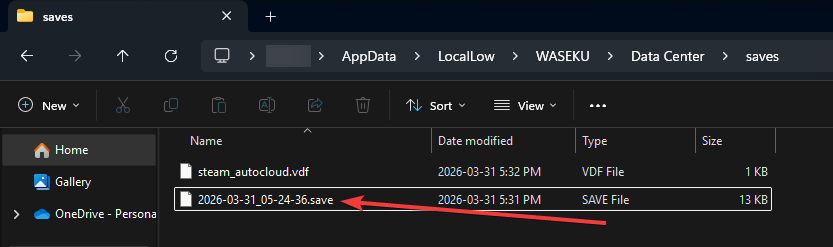
#2 Open it in HxD
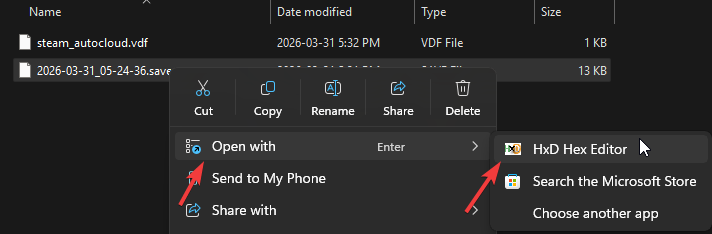
#3 Edit your money value!
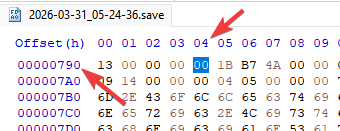
In HxD scroll down to Line 790, offset 04 and place your cursor in front of that value.
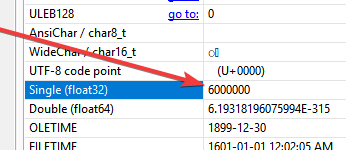
Now in the right menu, select Single (float32) and edit your money to whatever your heart desires!
Finally, save the file in HxD, any modified values will no longer be red if saved. Once you have saved your file, enjoy your money!
Troubleshooting
- Issue: Save no longer appears in game!!
Save File Corrupted, Don’t modify the save file size.