How to fps boost poppy playtime chapter 3 for low device
Basic things
Additional engine settings
1. Press Windows + R
2. Insert %LOCALAPPDATA%\Playtime_Chapter3\Saved\Config\Windows
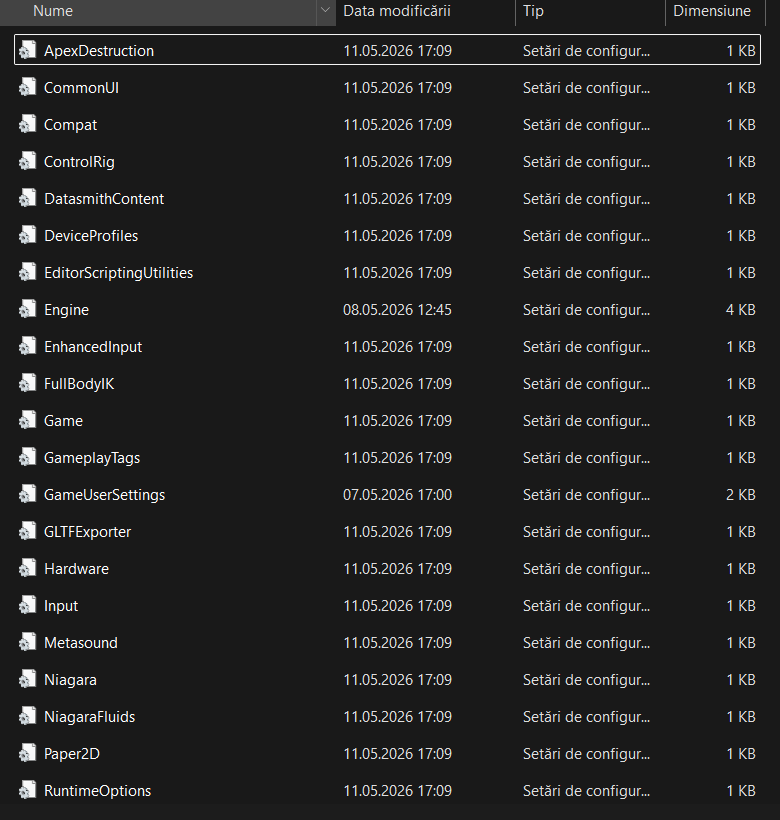
now if its looking like this go to the “Engine”
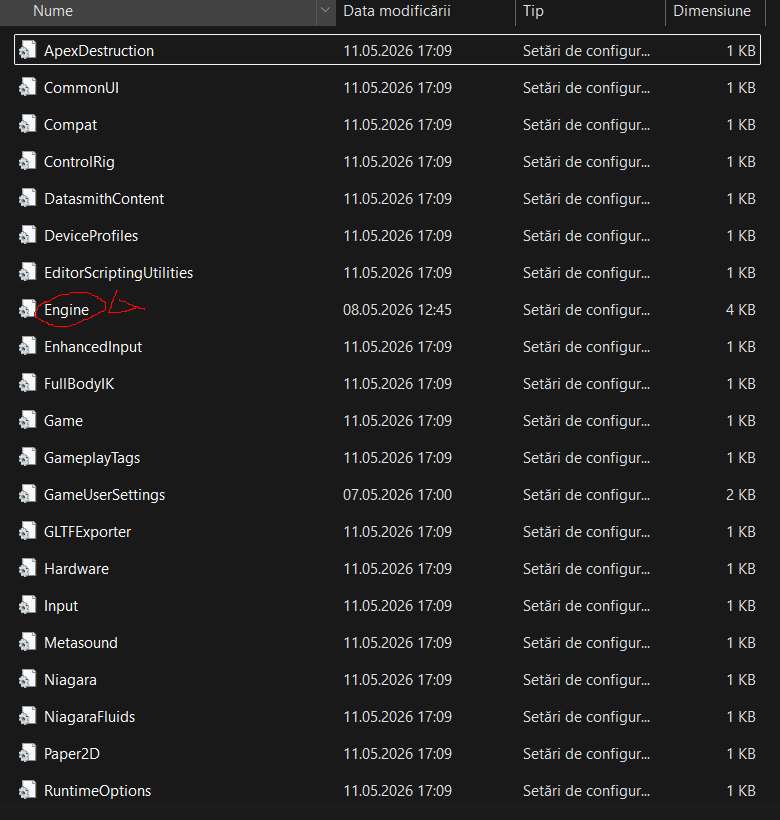
Open “Engine” with notepad++ and insert this:
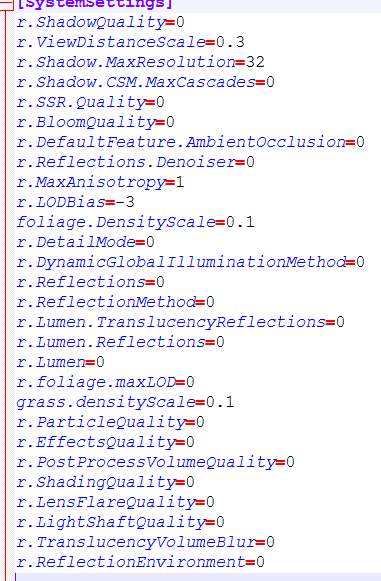
this the text and put this above the “Core settings” also here it is for copy
[SystemSettings]
r.ShadowQuality=0
r.ViewDistanceScale=0.1
r.Shadow.MaxResolution=32
r.Shadow.CSM.MaxCascades=0
r.SSR.Quality=0
r.BloomQuality=0
r.DefaultFeature.AmbientOcclusion=0
r.Reflections.Denoiser=0
r.MaxAnisotropy=1
r.LODBias=-3
foliage.DensityScale=0.1
r.DetailMode=0
r.DynamicGlobalIlluminationMethod=0
r.Reflections=0
r.ReflectionMethod=0
r.Lumen.TranslucencyReflections=0
r.Lumen.Reflections=0
r.Lumen=0
r.foliage.maxLOD=0
grass.densityScale=0.1
r.ParticleQuality=0
r.EffectsQuality=0
r.PostProcessVolumeQuality=0
r.ShadingQuality=0
r.LensFlareQuality=0
r.LightShaftQuality=0
r.TranslucencyVolumeBlur=0
r.ReflectionEnvironment=0
also viewDistanceScale can be 0.1 i puted 0.3 for more view
After you insert above the core you can save it and IMPORTANT put
Resolution Lower than 50%
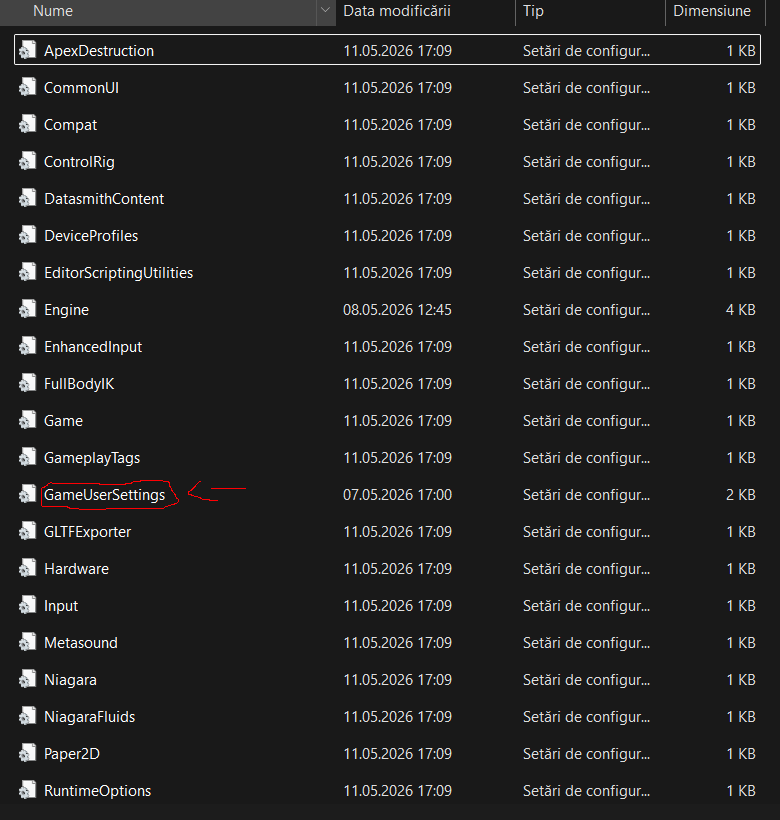
find where resolution is
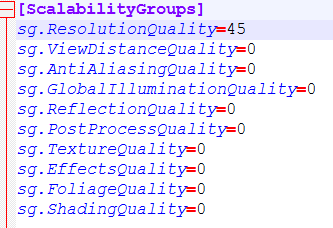
and now you can modify the resolution
Potato graphics on
Open again “engine” and add these
r.SkeletalMeshLODBias=10
r.MipMapLODBias=10
r.ParticleLODBias=10
r.Streaming.MipBias=10
where you putted the ones from section 2 right under them