
Change FOV in subnautica 2 (With mods).
I had to do this or else I couldn’t play the game without feeling nauseous. I Hope the devs will fix a FOV option/slider or console commands in the near future, this is a temporary fix until then.
Step 1:
Download UE4SS – Subnautica 2[www.nexusmods.com] from nexusmods (You might need a login: Go download: manual, chose slow download)
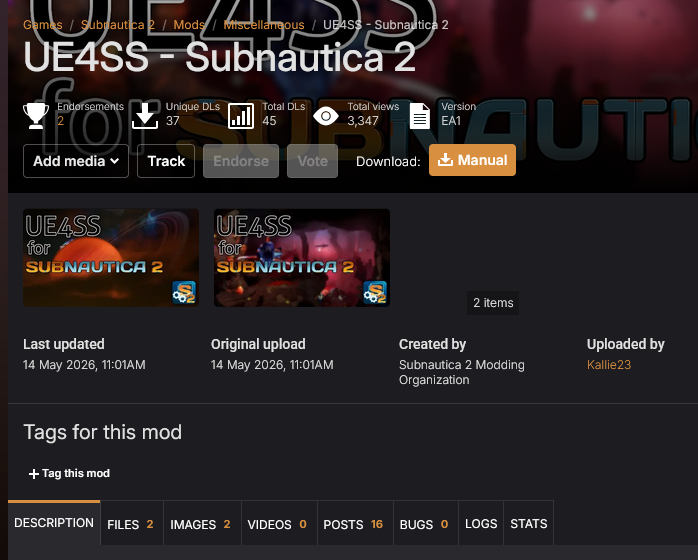
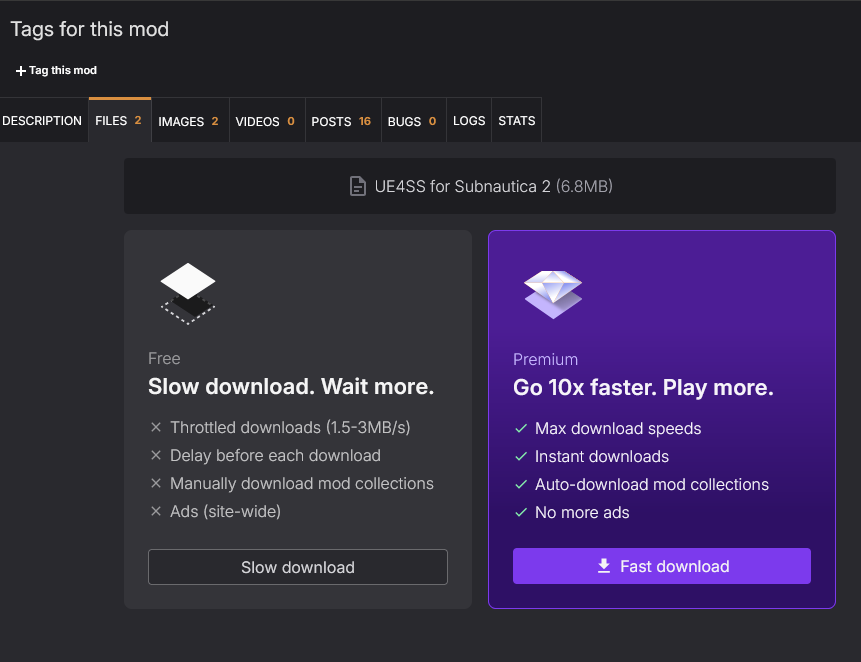
Step 2:
Find the game installation folder (on Steam, right-click the game in your library, go to manage, then browse local files)
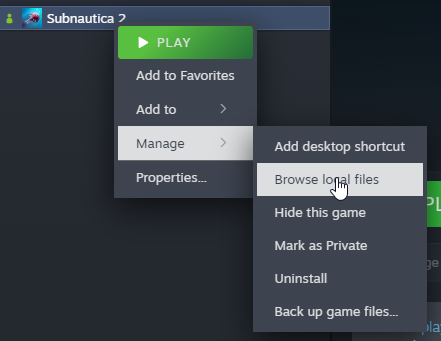
Step 3:
Extract UE4SS contents to: \Subnautica2\Subnautica2\Binaries\Win64
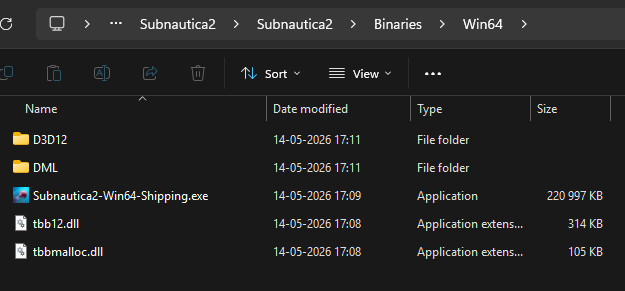
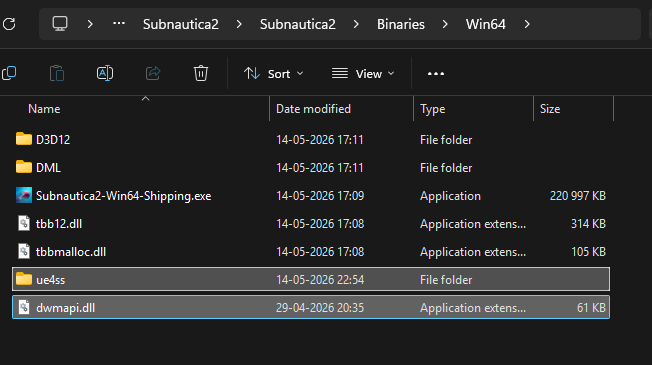
Step 4:
Download the Console Commands Mod [www.nexusmods.com] from nexusmods (the same way we downloaded UE4SS from Step 1)
Step 5:
Extract the Console Commands mod we downloaded (DebugUiToggle) into: \Subnautica2\Subnautica2\Binaries\Win64\ue4ss\Mods
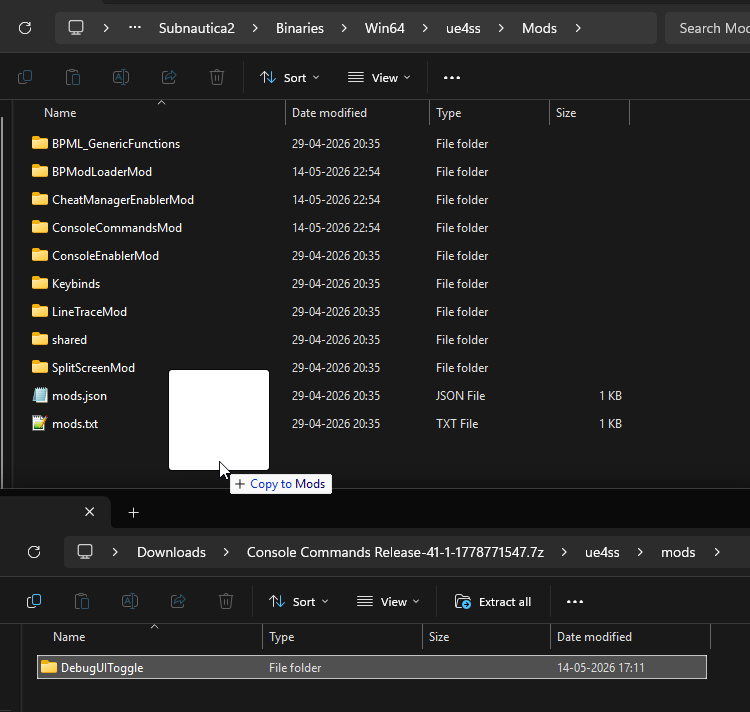
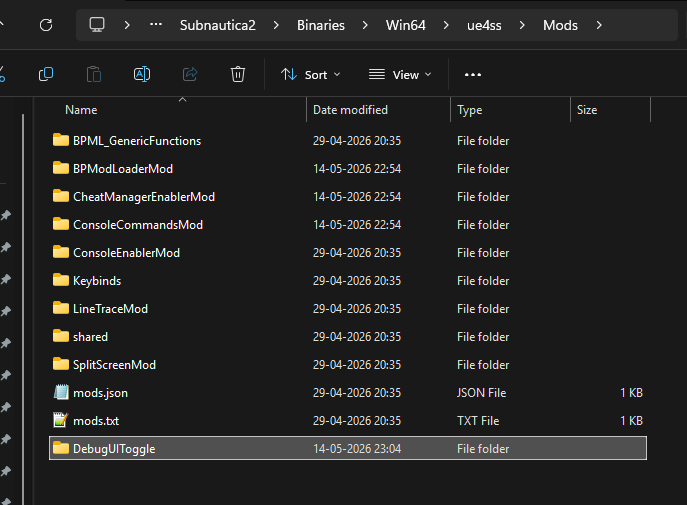
Step 6:
Start up Subnautica 2 and when in the game press F2 to access the command console.
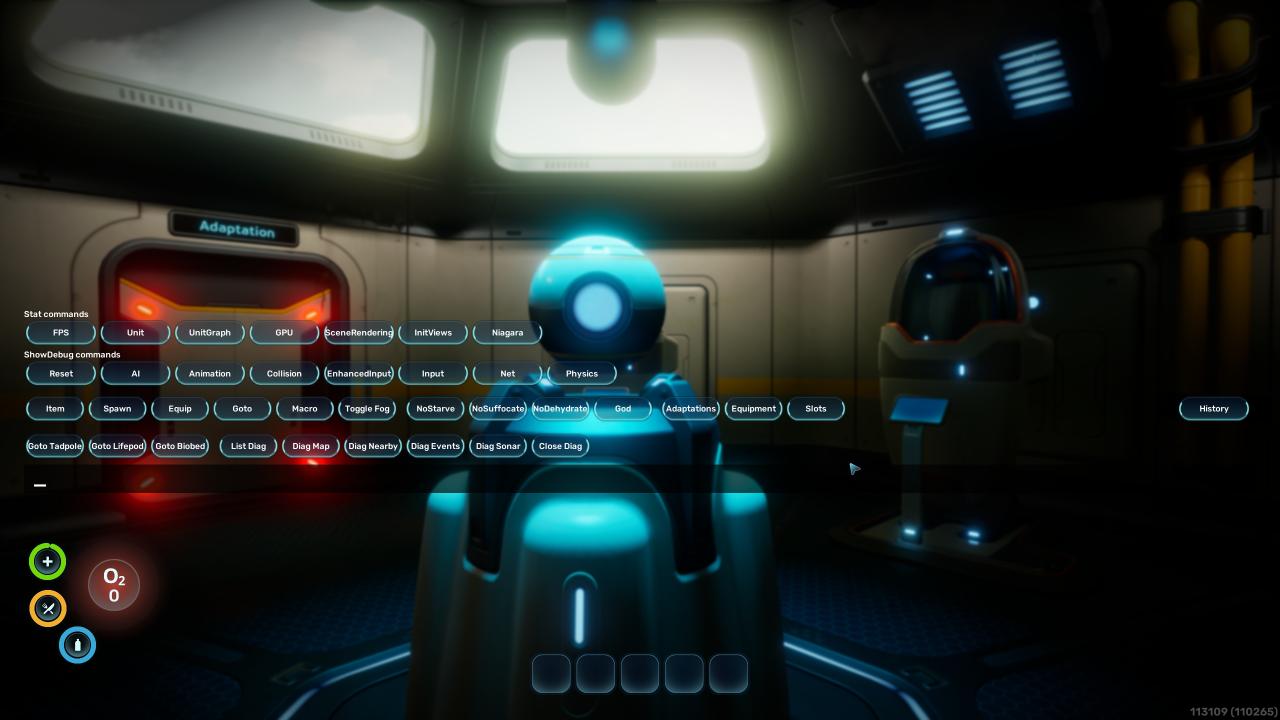 There’s many other commands and cheats in the list but we want to enter a manual command into the console.
Enter: FOV (“put your desired FOV number here”), I went with 105.
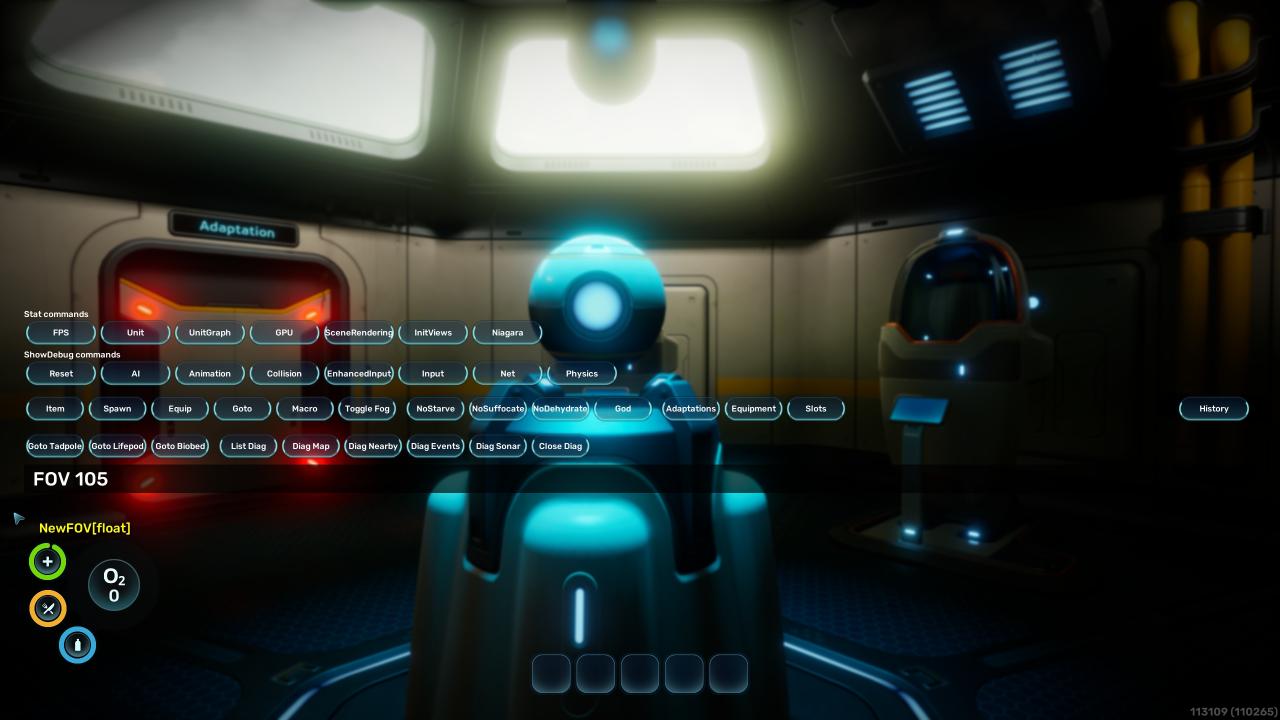 And Voila! Higher FOV in your game.
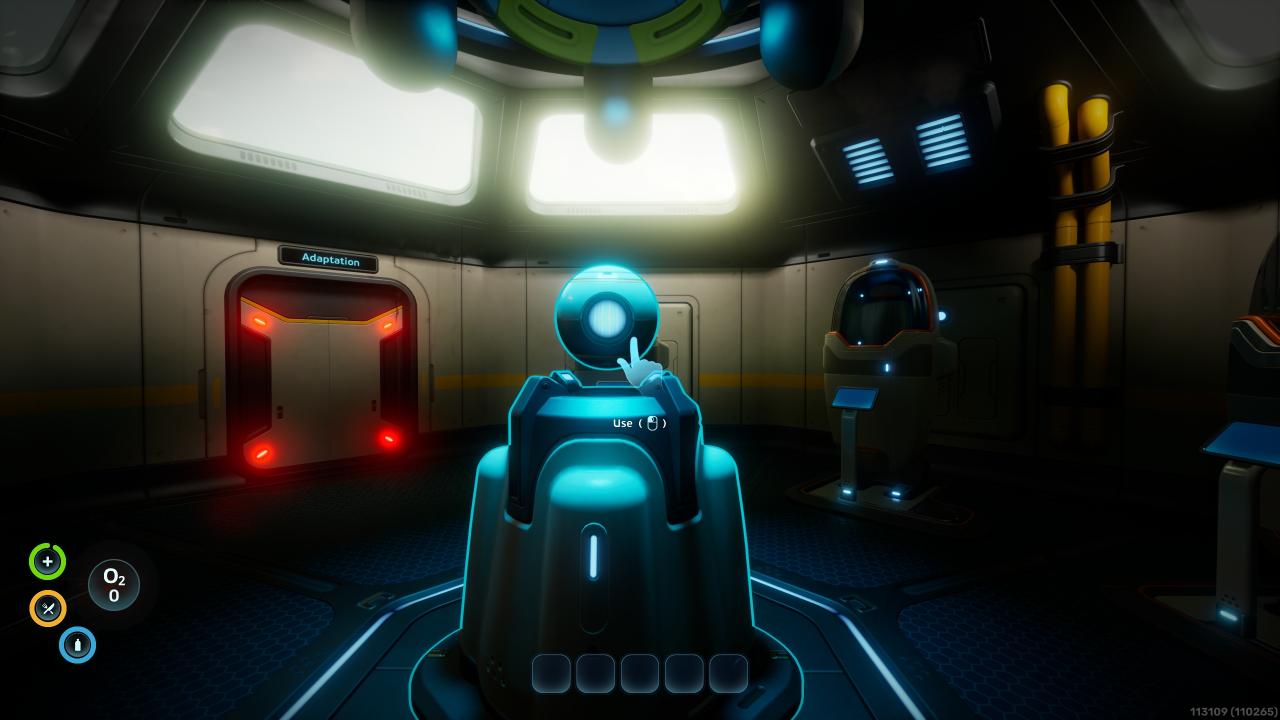 That’s all, have fun divers!
There’s many other commands and cheats in the list but we want to enter a manual command into the console.Enter: FOV (“put your desired FOV number here”), I went with 105.
And Voila! Higher FOV in your game.That’s all, have fun divers!
Other:
You have to type in your FOV everytime you load your save.
There’s also Cheating tools but some doesn’t work at the moment, but im not in for the cheats, I only wanted a higher FOV.
There’s also Cheating tools but some doesn’t work at the moment, but im not in for the cheats, I only wanted a higher FOV.
There is another mod on nexusmods called Comfort Tweaks [www.nexusmods.com] that adds FOV control. But I went with this one because it didn’t require UE4SS Mod Manager [www.nexusmods.com].
If you want to avoid the risk of cheating try that mod.
Other than that I don’t know if this works in multiplayer at the moment, I’ve only played solo so far.
practical FOV tip for early access. I also keep Subnautica 2 Map handy because coordinate and biome references make route planning easier.